A repair can be done before the office sends the bill. IQ keeps those steps separate on the same work order. A real sink repair shows the chain from a saved request to a confirmed invoice export.
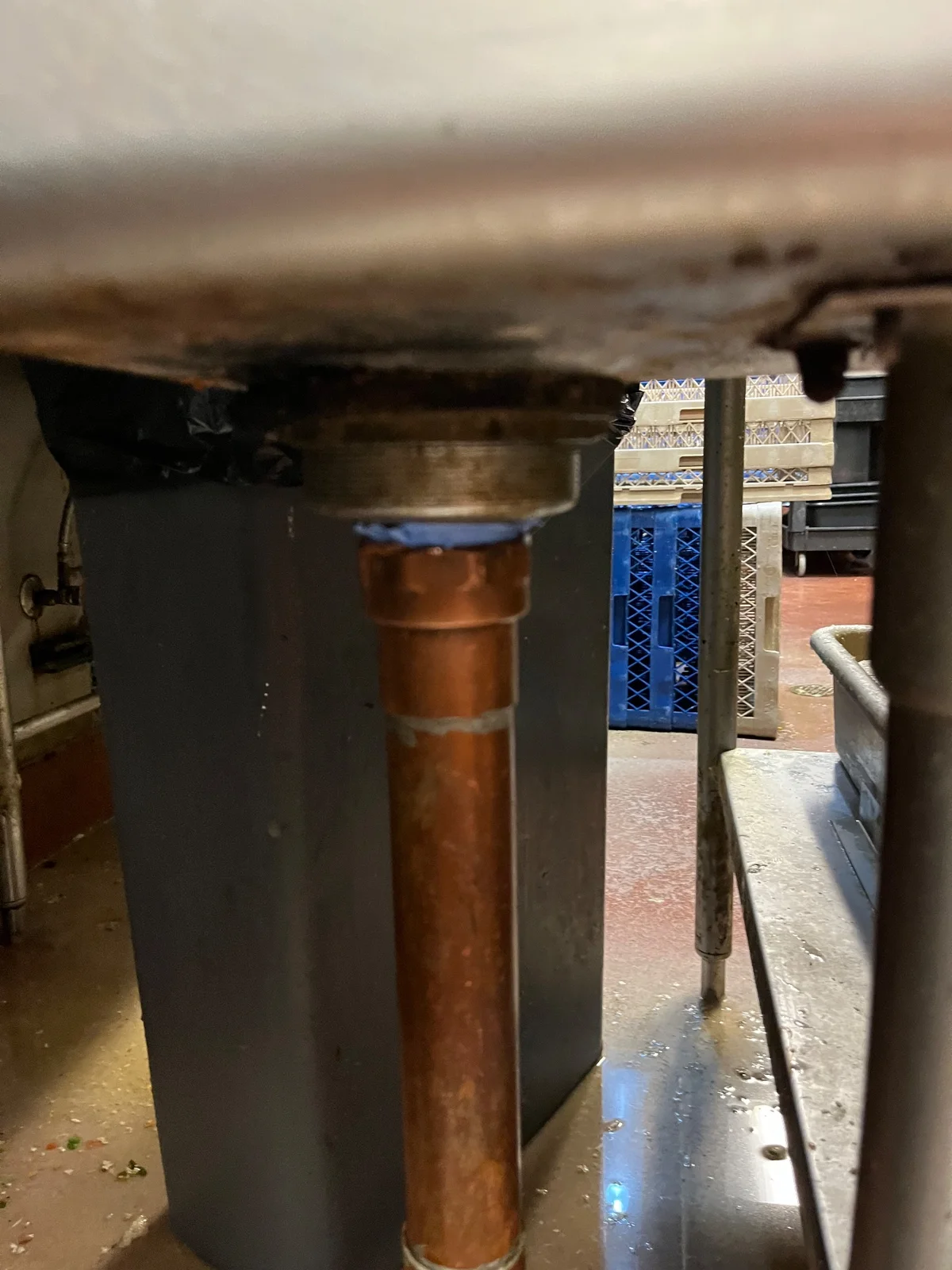
Read Masterline Facilities’ detached drain-pipe case for the field work. This article follows the office handoff in our field service software.
Start with the request and the assigned visit
IQ saved the sink request on October 25. The office then saved a visit, assigned an in-house tech and moved the job into dispatch. The history records a queued provider notice. A queued notice alone does not prove it was read.
The actual field check-in and check-out belong to that work order. The service note explains the loose pipe, the work and the manager review. Four photos and a captured sign-off stayed with it.
Keep ready to bill separate from an invoice
After the field work, the job reached ready to bill. That tells the office the next step. It is not proof of an invoice or payment.
On October 27, the office saved and revised a billing draft. IQ then recorded a completed QuickBooks invoice export and a linked invoice. The job moved to Successfully Billed. The returned invoice still had an open balance. This review does not confirm payment or delivery of an email to the customer.
The supported chain, step by step
| Step | Record in IQ | Limit |
|---|---|---|
| Request | Request created October 25 | This is the saved request time, not proof of its first external arrival. |
| Dispatch | Visit saved and tech assigned | A queued notice does not prove receipt. |
| Field work | Actual check-in/out, note and four photos | The tech did the work. Photos do not measure long-term results. |
| Sign-off | Manager acknowledgment captured | The identity and signature stay private. |
| Office review | Billing draft saved and revised October 27 | A draft alone is not a sent bill. |
| Invoice export | Completed QuickBooks export and linked invoice | Payment and customer email delivery are not confirmed. |
Make the office check visible
The history keeps the draft changes and export event apart from the service note. That lets a reviewer tell what the tech recorded and what the office did later.
A useful field service billing check asks:
- Does the bill match the reported work?
- Are the visit, photos and sign-off on the same job?
- Is the invoice only a draft, or did the export finish?
- Is payment confirmed by its own record?
These are review questions. The saved chain does not prove that every check was carried out or that the work saved a set amount of time.
IQ holds the work. People own the next step.
IQ is the software backbone linking the request, dispatch, work, sign-off and office invoice record here. The tech repaired the drain connection. The office prepared the bill and sent it to QuickBooks. No autonomous AI action is claimed by this case.
See the broader work order management software workflow. For a job that stopped at a draft, compare the two-visit tile record. Each job needs its own invoice evidence.
Already on the team? Log into IQ.
MasterlineIQ (MIQ) was built by Tim Yslava. IQ is built and used inside Masterline. Public access is not open yet. Join the IQ waitlist for future-access updates.
Based on saved IQ notes, visit and billing records, full event history and exact-job photographs reviewed October 27, 2026. Private names, addresses, prices, contacts and signatures are omitted. Images support the account. The written report supplies the reported work result.