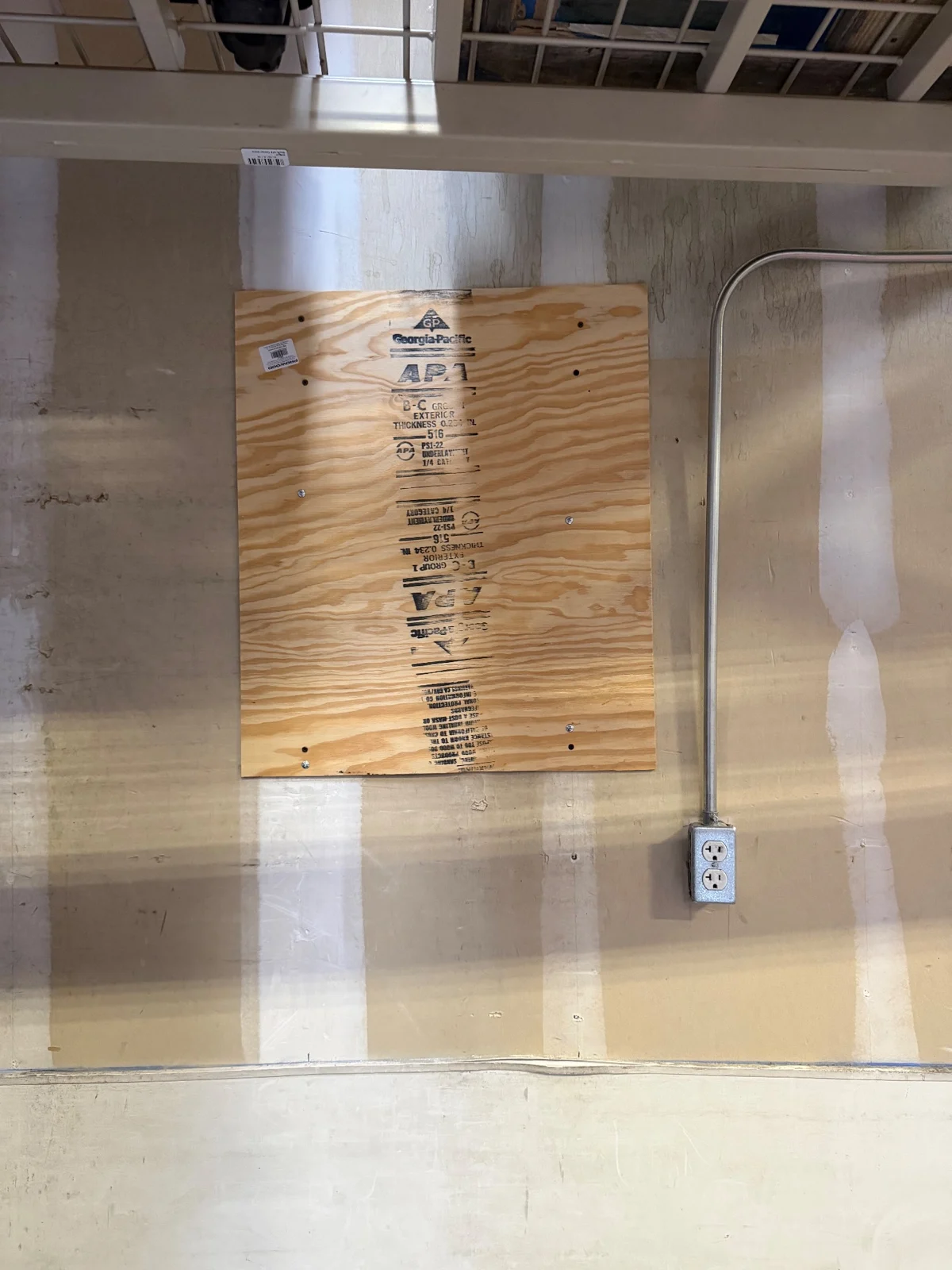
A request said there were holes in drywall. The returned note said plywood panels were installed at the floor manager’s request. Our work order management software kept both records, so the office could see the starting problem and the work actually reported.
Read NCRC’s storage-wall case for the field story. This IQ article answers a different question: how do you keep the actual scope clear from request to billing?
Keep the first request beside the returned work
Do not treat a broad request label as proof of the final repair. In this job, the request described the damaged wall. The tech’s later note named the plywood panels, screws and check that the panels were secure.
IQ held those records on one work order. The office could read the first scope and the later report together. The saved record does not establish a separate formal change order or a building inspection.
The supported chain in this real job
| Step | Saved evidence | What stays separate |
|---|---|---|
| Request | Wall-opening request saved October 22 | The problem report is not the finished work. |
| Dispatch | Assigned in-house visit and later schedule edits | A planned date is not an actual visit date. |
| Field work | October 28 check-in/out, work note and eight photo files | Duplicate phase labels are not extra repairs. |
| Sign-off | A captured visit acknowledgment | A sign-off is not a code inspection. |
| Office review | A billing draft with the reported work | People remain responsible for scope and bill review. |
| Invoice export | Completed QuickBooks export and linked invoice on October 28 | Payment and customer email delivery are not confirmed. |
Use the work note to describe the bill
The billing draft preserved the reported panel work. It did not turn the request into a claim that new drywall was installed and finished.
That is the practical value of a connected field service record: the office can trace what it is billing back to the tech’s account. This review does not measure time saved or prove that every possible review step was carried out.
Three questions for the office handoff
- What did the customer first ask us to look at?
- What does the tech say was actually done?
- What evidence supports the next office step?
If the answers differ, keep the difference visible. Add the needed review instead of guessing from a status label.
IQ is the software backbone. People do the work.
Here, IQ connected intake, dispatch, the visit, photos, sign-off and invoice record end to end. NCRC managed the call. The tech installed the panels. The office prepared and exported the bill. The case does not show an AI selecting the repair or acting without review.
Explore our work order management software workflow. For another office question, see how IQ keeps a return visit with the original job.
Want to follow future access? Join the IQ waitlist. If you already have access, log into IQ.
MasterlineIQ (MIQ) was built by Tim Yslava. We use IQ inside Masterline. Public access is not open yet. The IQ waitlist is open for future-access updates.
Based on saved IQ service notes, actual visit records, full event history, billing records and exact-job photos reviewed October 29, 2026. Private names, contacts, addresses, prices and signatures are omitted. Photos show the work area; the written note supplies the reported work result.